Archive for the ‘Experimental’ Category
Saturday, March 1st, 2008
Following part 1 yesterday, have now plotted some maps per individual service.
Flash Earth Layer

Conclusions
- Google Earth does request a link for the initial view on startup – that point in the Atlantic.
- I guess North American installs have two slightly different default placemarks; has it changed, or maybe Canada gets a different one?
- But that doesnt explain the lines from there – people must have their links set to periodically refresh?
- Germany likes FlashEarth (or rather people like looking at Germany with FlashEarth link enabled)
- Many people leave the links open even when not in use – e.g. the British Isles links show worldwide usage, notably over Russia.
- MGRS notably has high usage in two areas.
- The Far east likes to know what direction they facing.
Update: In a total forehead slapping momont realised these unprojected whole world images, are exactly what is used in GroundOverlays, so the the pages now include links to view the higher resolution images directly in Google Earth, duh!
Example:  View In Google Earth (don’t forget to try adjusting the tranparency slider!) [Update, to fix broken link, sorry!]
Tags: Coverage Maps, Google Earth, maps, Network Links
Posted in API, Coverage Maps, Experimental, Google Earth, KML, maps, Nearby, network-link, online maps, PHP, Web Services | Comments Off
Thursday, February 28th, 2008
Recently geohash.org was released; the premise: short easy links that encode a location. The website offers instant conversion, but as the algorithm is Public Domain, Lordelph was quick to implement a php class, and I could quickly add the conversion to my existing conversion API. Convert a postcode to geohash anyone?
Updating the documentation noticed the API was last updated in 2005 – gulp, how time flies! Anyway as a celebration have upped the throttling on the API, now three times the previous limit. Running on much improved hardware than when it was launched so maybe the limit can be tweaked even more, will run some analysis of its impact – it already seems the API is a minor part of the overall load on the server – particularly against the Google Earth layers.
Tags: geohash
Posted in API, Coordinate Converter, Experimental, geo, geohash, Nearby, PHP, update, Web Services | 1 Comment »
Wednesday, February 27th, 2008
For a project wanted to create a small script to make generation of network link wrappers to KML content easy, but then I thought could have it create ‘short’ urls, ala tinyurl.com, to make reuse easy. But then thought if going to that trouble might as well make it a full blown mini application, so I give you
goKML.net :: Short Links to KML content
I think it turned out pretty well (esp for just an evenings hacking) – it even has an element of ‘design’ – which is saying something!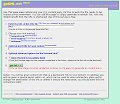
So if you want to create a network link wrapper with the minimum of fuss, and might enjoy having it as a short url, then give it a go.
Of course there are still a few things that could be done, but will leave these for another day…
- Auto discover the ‘title’
- Intelligence for ‘My Map’s – eg support multiple pages, and maybe some other KML types.
- Actually make the admin page useful – display stats (they are stored already) , and edit the link
- A public gallery of popular/new etc links – maybe even some sort of search – esp if we can do rudimentary indexing of the content (when fetch the title)
- Support for named links eg could choose gokml.net/fredsparty.kml
- Complete the support for the various network link options – particulaly making it easier to select the appropriate settings.
- Maybe even support for forwarding the link by email (and/or sending the admin link to yourself)
- Any thing you can think of
 – let me know!
Tags: generator, KML, network-link, redirect, short links, tinyurl
Posted in Experimental, geo, Google Earth, KML, PHP | Comments Off
Thursday, February 21st, 2008
Now that Google have just announced a brand spanking new NON JS Maps API, to be able to display maps with a simple img tag, similar to the Chart API. Well I thought it would be fun to re-purpose the
FlashEarth code to create a network link to display Google Maps in a popup balloon on Google Earth. Not totally sure the utility, but sure is fun (until the novelty wears off!)
Open in Google Earth
Hopefully needless to say the map inside the balloon is static and non draggable.
Update to clarify: You get to draw 1,000 maps daily, which is probably plenty, but go over that and the maps will stop working for you.
Update: as alluded to in the official post, you can use the static API to load a quick map, while the rest of the page loads, then at the last minute change it into a dynamic map. A series of demos showing various ways of lazy loading!
Tags: Google Earth, Google Maps, img, non-js, static
Posted in API, Experimental, Google Earth, Google Maps, KML, network-link, Web Services | Comments Off
Saturday, December 8th, 2007
Have finally got round to (almost) sorting a issue that has plaguing this site for a while, namely a lack of header/footer for site pages. Primarily from laziness, but also due to the mixmash of server scripting languages used to power Nearby. Anyway the upshot is can now relatively easily edit the top/bottom menu areas. So to celebrate there is now far more links at the top of the page.
Have also taken the opportunity to publish a revised homepage I tried creating a while ago, I am not totally happy with it but think it possibly an improvement (or at least a declutter) of the old one, sadly no new features released tho!
(yes this is the first time in over a year an a half have done substantial development in areas other than the Google Dabbles or GeographTools pages)
Posted in Experimental, Nearby, update | 16 Comments »
Saturday, September 1st, 2007
Purely as a prototype, here’s a little script that records your flight in Google Earth for later review. (Wondering how you fly in Google Earth? See (or) here!!!)
Go here for the details and to get started.
This is recording the flight back to on my server, as that’s way easier than creating a local application. However it does mean its dependent on the net connection and my server for smooth recording. If this works out will seek better hosting! As mentioned its only a technical preview so its nowhere near perfect, but should be useful in a fun way at least
… technically it could be used to record movement in any mode, however it only records the camera position, which is almost ideal for the flight simulator, but not so useful otherwise.
Tags: Google Flight
Posted in Experimental, Flight Simulator, Google Earth, KML, network-link | 12 Comments »
Saturday, September 1st, 2007
Wow, what an Easter Egg! (Yes check it not really the first of April…)
You can now enable a Flight Simulator Mode, find out more on GEarthBlog here.
Beware tho its kinda hidden and might take a bit of fiddling to get it to work… basically you hold down Ctrl-Alt-A (capital) on windows. However I found I had to change my language settings in Windows Control Panel to ‘English (United States)’, I had it set to UK English, and try as I might it wouldn’t work. Closing GE, changing the language setting, and reopening, it worked first time. You can even change back to UK and it will still be available in the Menus, but the keyboard shortcut no longer works. YMMV.
I’ve long been a fan of MS-FlightSim, and installed lots of packages to get high-resolution imagry and meshes (often to great expense!), to find this in GE is simply mind-blowing.
One last thing, as I’ve never been a fan of keyboard for flying (as the primary controls), I see the mouse works quite well, and is responsive and intuitive, thanks guys and gals!
Posted in Experimental, Google Earth | 1 Comment »
Tuesday, August 28th, 2007
What if the current view in Google Earth was quickly viewable in other maps, such as those made accessible by FlashEarth? Well, now it is. As you move around the globe a little white arrow follows you around, simple click it to get an approximation of the current view in FlashEarth in a popup balloon.
Open in Google Earth
Total credit to Valery35, for the concept (including a screenshot) on the Google Earth Community. (and to all the people made all the bits that could be pieced together in this 15min hack)
Posted in Experimental, Google Earth, Google Maps, KML, Nearby, network-link | 13 Comments »
Thursday, July 5th, 2007
… I’m a lazy blogger, I don’t bother posting things I find, as I naively think people everybody will have already read it.
I’ve also just started using Google Reader in a bigger way, and as such as a small experiment will start sharing items I think are relevent to this blog, get the feed here:
http://feeds.feedburner.com/NearbyIsReading
(its via feedburner to make a nicer url, as well as to get some stats to see if it worth me doing this…)
Posted in Experimental, Nearby | Comments Off
Thursday, June 21st, 2007
(Very) Simplistic tool for trying out a OpenSearch Description file :
http://www.nearby.org.uk/opensearch/
… includes a Gmap to make defining the lat/long and/or bbox easy. (if the file has geo extensions)
(Just submit the same file again, if you update it. btw don’t submit a definition file you don’t want to become public, but remember it is called ‘open’ 
I realised after mentioning we updated the description file on www.geograph.org.uk, that it wasn’t fully tested, (hate testing, but not adverse to spending 2 hours scripting a tester), and in fact this tool highlighted a mistake!
Hope it of interest, feedback welcome,
Posted in Code, Experimental, geo, Nearby, opensearch | Comments Off

