Archive for the ‘Nearby’ Category

Tweaking the number of the MGRS layer

Monday, June 25th, 2007

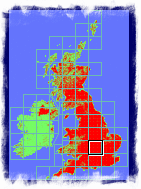
Ever since releasing the MGRS layer for Google Earth, I’ve been asked a number of times (well about 10) about tweaking the numbers on the gridlines, to be more ‘MGRS like’. To be honest havent had a clue what this means, but a recent email made me twig whats going on.

Basically the numbers included the hundreds of KM, but in fact that number is already represented in the Grid Letters so doesnt make sence to include again (it was there because the layer was an almost direct port of the UTM code, which of course needs it).

So the server hosted version has been updated, and also the file inside the zip for the offline version (which are in fact identical code!), and if really interested heres the diff.

Enjoy!

OpenSearch (with Geo) Description File Tester

Thursday, June 21st, 2007

(Very) Simplistic tool for trying out a OpenSearch Description file :

http://www.nearby.org.uk/opensearch/

… includes a Gmap to make defining the lat/long and/or bbox easy. (if the file has geo extensions)

(Just submit the same file again, if you update it. btw don’t submit a definition file you don’t want to become public, but remember it is called ‘open’ ;)

I realised after mentioning we updated the description file on www.geograph.org.uk, that it wasn’t fully tested, (hate testing, but not adverse to spending 2 hours scripting a tester), and in fact this tool highlighted a mistake!

Hope it of interest, feedback welcome,

MGRS Layer for Google Earth - Offline!

Tuesday, June 19th, 2007

Thanks to help from Mark Ferneau, have finally the MGRS layer packaged up ready for use off-line (and GPL licenced!), an often requested feature.

These instructions assume Windows, and that you don’t have a local webserver running. The zip file should be usable to set it up on any local server capable of running PHP, just don’t forget to edit the link in the network link to the path of your webserver.

Without further ado, the instructions:

  1. Download Appweb web server from: http://www.appwebserver.org/ (Tested with 2.2.0)
  2. Install with the general default options
  3. Save AppWeb.conf file in C:\program files\MBedthis Appweb\, overwriting the default (this just sets up the minimum needed for PHP to run, removing some of the extra stuff)
  4. Copy php5ts.dll from C:\Program Files\Mbedthis Appweb\lib\modules\ to C:\Program Files\Mbedthis Appweb\bin\ (not sure why this step is required but Appweb seems to need it)
  5. Extract grid_mgrs.zip into directory C:\appweb\web\offline_nearby\
  6. Start up the appweb server, using Icon in Start Menu. (if it’s already running, icon in System Tray, exit it)
  7. Open the network link - save it to your My Places :)

If there is interest could possible package up some of the other layers run on a local webserver in a similar fashion.

Finally, use at your own risk, it works for us, but your mileage may vary. We welcome any and all feedback (esp. patches!)

RSS & GeoRSS to KML

Monday, April 30th, 2007

Spured on by comments on Stefan’s Ogle Earth blog, have created this little page as a wrapper to the excellent service provided by geonames.org to automatically convert a RSS feed to KML. It also does RSS->GeoRSS and GeoRSS->KML.

http://www.nearby.org.uk/rss-to-kml.php

Hopefully should make it a bit easier to load a (Geo)RSS feed into Google Earth in the style of a RSS feed - it auto updates.

… really need more to talk about, been kinda quiet of late…

3DConnexion on 2D Google Maps…

Thursday, March 22nd, 2007

Thanks to Frank for letting us know about the new SDK for the 3DConnexion devices, including the SpaceNavigator, I’ve been waiting for this for a while as wanted to try it for websites like Google Maps. Even nicer is the SDK includes a Javascript demo - so makes developing for Google Maps Easy!

Enough already, I want to see the Demo!

WARNING: Internet Explorer - and you might have to enable ActiveX controls to run. Do so at your own risk! I won’t intentionly do anything bad, but can’t promise that 3DConnexion won’t (but doubtful they would either) - Recommend you add Nearby to your trusted sites and then allow controls to run in the trusted zone.

Or just download the file to your local drive. (right click the above link and select Save As) and run it from a local file - didn’t have to jump thought the hoops to get it to run there!

Todo: The zooming isn’t as slick as it could be (possibly) and would be nicer to have more control of the speed. Also the silly (depending on your point of view!) warnings from IE7, which I wonder if there is a better way of loading the objects to make it more compatible.

Google Earth Version Stats (Mar’07)

Tuesday, March 6th, 2007

A while ago I compiled statistics of the versions of Google Earth in use in the wild (well technically accessing network links at nearby.org.uk) - well an updated version is now available.

For comparison here is the version from last Sept.

Conclusion: GE3 is definitely on the way out, but still actively used. A large number of people haven’t updated their GE4 for a while, and there might be a new version coming out sometime soon.

Update: It turns out my simplistic test for useragents beginning with kh_ missed off Mac and Linux clients - so here is a another updated version that does include such clients. Thanks to a commenter on Gearthblog for spotting this!
(I could rerun the above reports but see little point)

Update 2: It seems the new version was incorrectly calculating the total for Mac/Linux users - updated the link in the update above to correct this.

KML (& NetworkLink) for Nearby & any Geo-WordPress!

Saturday, February 17th, 2007

Following the addition of GeoRSS, earlier today while out photographing some PhotoSpots (TBA), I had an even better (possibly) idea, now that my WordPress stores Lat/Long, why not output KML too! The icing on the cake is you can also wrap it in a NetworkLink so that peoples Google Earth will auto update. (I am surprised couldn’t find this done already!)

And if that isn’t enough then I also release the code under GPL :) - note its the first time written anything for Wordpress, so might not be a tidy as could be!

Anyway see it in action on my series of PhotoSpots:

- as all these list the PhotoSpot category, each post includes a link to open the actual spot, so just click the world icon in the balloon to open :)

Download the Source or view the source: WordPress KML Generator and NetworkLink Wrapper

Installation: This is not a proper plugin, so just drop the .php files into the root of your WordPress folder and you should be done (but you can configure the icon to display if you wish by editing the wp-kml.php file)

Use: Normally you would only provide a link to the Wrapper - which in turn links to the feed itself, but the feed is useful like in the above example to plot directly on Google Maps. You can also specify a particular category to display like the above example or otherwise will include all geocoded posts.
Important: Requires the GeoPress extension be installed (to get geocode info)
Only tested on WordPress 2.0.1 - Works For Me - Your Mileage May Vary - no guarantee, implied or otherwise

Another PhotoSpot

Friday, January 26th, 2007


View at Geograph: SH7840 : Stone on Carnedd Iago
Another in the mini-series of Panoramic Images loaded into Google Earth, using DigitalUrban’s Panoramic Viewer tutorial.

This one is higher resolution than some of the others and ways in at 525kb,
but the extra resolution is useful to see the distant mountain ranges.

Anyway download it here: Google Earth Version

geotagged More Links for this location

Pen-y-Garn Mountain Panorama for GE

Tuesday, January 23rd, 2007

Following the nice spell of weather thought it an excellent opportunity to capture some images to create another Google Earth PhotoSpot (I still don’t think there is an official name for these).

Pen y Garn Panorama

Download the Google Earth Version (262kb KMZ file).

Used in the making of this: AutoPano*, Paint Shop Pro, DigitalUrban Panorama viewer for GE, (of course) Google Earth, a SpaceNavigator and Winzip 10#.

* (demo version, hence the watermark, first time used but really good, just got to make a usecase to someone to buy it for me ;)

# using Winzip to create the KMZ file seems to manage to squeeze some compression out of the jpg itself :)

Mountain Panorama in Google Earth

Monday, January 15th, 2007

DigitalUrban, has for a while being working on a Panorama Viewer for Google Earth, well to prove that it doesn’t just apply to Urban settings, I have created this panorama of the Top of Snowdon Google Earth File, the highest mountain in Wales (and England).

Really impressive! Just in case you don’t have a SpaceNavigator to really explore, have created a few views, just double click to move around. (idea from Google Earth Blog - except I used folders, so don’t have icons).

To really enjoy the feel of the mountains, I recommend setting your Terrain Exaggeration setting to about 2.0, although having said that the included Snapshot views are designed for when TE is set at 1, as that’s probably the most common.

I should note that I scaled up the model, to make it easier to use, so it does leave a rather large blob on top of the hill! This is also only a rectilinear panorama, rather than spherical, so it will be nice if DigitialUrban can work in support for such images.

geotagged More Links for this location